
How It Works While You Make Music
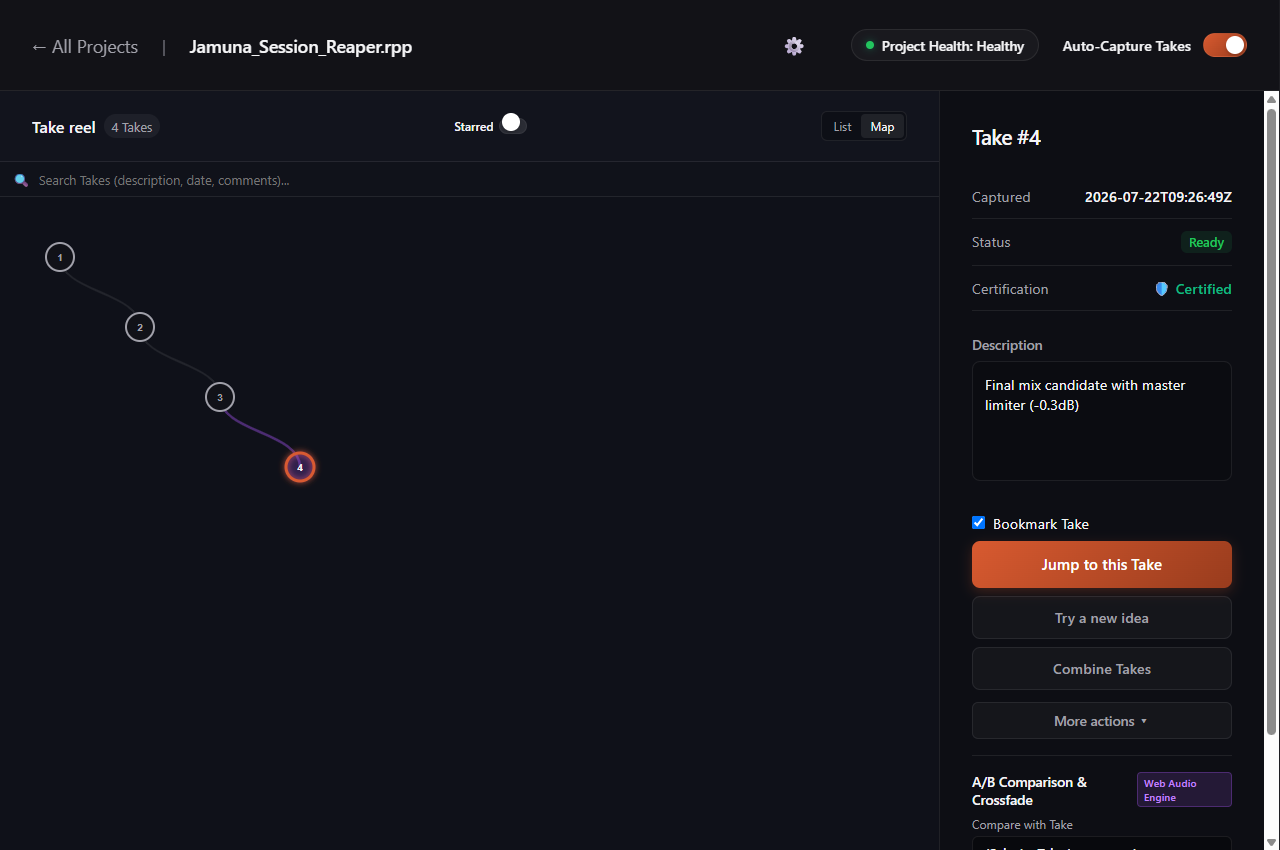
When you are in the zone making music and press save in your DAW, Sabes Pro automatically creates a restore point called a Take. You do not have to click any extra buttons or break your creative flow. The software watches your project folder and records the state of your arrangement instantly.
Why It Protects Your Storage Space
Standard backup methods often copy the entire project folder repeatedly, filling up your drive with gigabytes of duplicate recordings and samples. Sabes Pro works much smarter: it only saves the actual changes made since your last save. If your audio recordings have not changed, it references the existing files. This keeps your backup history fast, lightweight, and easy on your storage drive.
Zero Impact on Audio Playback
In a professional recording session, audio dropouts and latency spikes can ruin a great vocal or instrumental performance. Sabes Pro runs completely separately from your DAW audio engine. All save indexing happens quietly in the background without affecting your buffer size, CPU load, or real-time playback.
Instant Rollback When You Need It
Ever spend two hours trying a radical new arrangement or drum processing chain, only to realize the original idea sounded better? With Sabes Pro, you simply open your timeline, select the earlier Take, and restore it in one click. You get complete creative freedom to experiment without risking your base project.
Supported Audio Workstations
Automatic save tracking is ready out of the box for all major production platforms: Ableton Live, FL Studio, Cockos REAPER, Steinberg Cubase, Steinberg Nuendo, and Avid Pro Tools.