
Track. Verify. Deliver.
Local-first DAW version tracking and recovery for audio professionals.
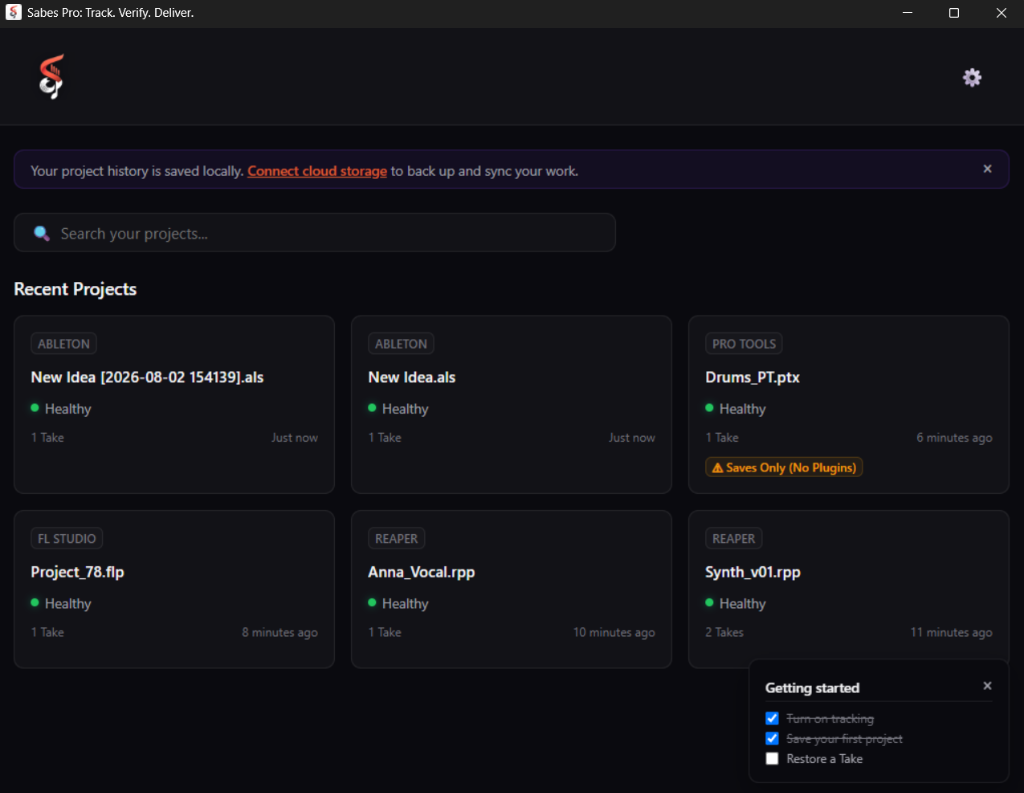
How Local Take Control Works
A simple 3-step local workflow designed specifically for audio production.
Automatic Save Detection
Sabes Pro monitors your active project directory in real-time. The moment a save event occurs in your DAW, the new state is indexed without interrupting playback.
Local Encrypted Repository
Project Takes are saved locally into an embedded repository, encrypted at rest using AES-256-GCM before any optional cloud sync occurs. Your raw audio stems stay private.
One-Click Recovery
Browse your full Take timeline, compare mix revisions, and restore any previous state instantly without relying on manual file copies or zip archives.
Verified Features Directory
Every feature listed here is verified against actual codebase capability.
Automatic Take Capture
Monitors project files in real-time. Captures new saves automatically as encrypted Take snapshots.
Take Certification
Generate cryptographic SHA-256 proof of project ownership and timestamp verification.
Project Health Monitoring
Audits project integrity, missing media files, and plugin availability before major sessions.
BYOS Cloud Sync
Connect your own S3 or cloud storage provider for encrypted remote Take synchronization.
A/B Loudness Comparison
Integrated LUFS volume matching across different mix takes and revisions.
Public Release Log
Dated version history updated on every public build to ensure full release transparency.
DAW Compatibility & Limitations
We state our tracking depth honestly for all 6 supported audio workstations.
REAPER (.rpp)
Native text project parser and deep-hook timeline tracking (parsers/reaper).
Ableton Live (.als)
Native gzip XML project parser and media asset indexing (parsers/ableton).
FL Studio (.flp)
Native binary event stream parser and track alignment recovery (parsers/flstudio).
Cubase & Nuendo (.cpr, .npr)
Session file save tracking and referenced media asset indexing (parsers/cubase).
Pro Tools (.ptx)
Session file save tracking and referenced media asset indexing (parsers/protools).
Studio Documentation & Guides
Step-by-step setup guides, DAW tracking explainers, and disaster recovery procedures.
Quickstart & Workspace Setup
Set up automatic Take tracking for your DAW project folders in under 5 minutes.
Read Quickstart →Disaster Recovery & Restores
Step-by-step instructions to restore lost session states or overwritten tracks after a DAW crash.
Read Recovery Guide →Deep Tracking Explainer
How Sabes Pro parses session XML and event streams to track plugin states automatically.
Read Deep Tracking →Your Work Stays Local by Default
Sabes Pro is built for audio professionals. All session tracking, AES-256-GCM encryption, and project backup blocks remain 100% local on your machine. If you choose to enable BYOS (Bring Your Own Storage), project takes synchronize directly to your choice of private cloud storage provider.
Read Privacy Commitments